• We've just been notified that Microsoft have applied a fix for our server allowing email delivery again to their email services. It may take 24-48 hours to propagate across their systems. Thanks for bearing with us!

FIFA 16 Attribdb (gameplay) converted to FIFA 17! (New Lite Conversion at Post #32)

“- data\debuglines\default.csv edited with 1 in every column and row except for the AiPlayer_ReflexBehavior_ShouldNotTouch row, which is set with 0s.”
I tried this and the overall result was not good.
Anyway, I'd suggest you not to mess with debuglines and all.
It seems like I'm probably the only one here who had a ton of great matches and careers thanks to debuglines :) I can't imagine playing FIFA 16 without debuglines. It makes the game more demanding because the CPU is more aggressive, it wins the ball back faster, and I have less time to react. I even have the debuglines mod added to FIFA 17, converted from FIFA 16, but I'm not sure if it has any impact on the gameplay, and certainly not as much as it did in 16.
 
Hi guys,
I've manually ported a few valuable runtimes/attributes from FIFA 16 to FIFA 17 for retaining the unique FIFA 17 experience but with a touch of FIFA 16. This time, these are things that I manually ported:
movement (actor) -> turn time and reaction times for contextual dribbling
cpuai_marker -> marking difficulty + best/worst defender timing and reaction (could be useful to partially solve slow jockey/reaction bug in 17)
tackling (defense)
defensive_baseline (positioning_formation)
soccerfield (physics - important for noticeable ball bump and bounce while passing)

Based on FIFA 16 Release Version (v1.00)!

Please test this without using any other GP mods or conversions and let me know how it feels!
Use Frosty Mod Manager v1.0.6.3 or Donnie's new fork.
Note: It doesn't include the ball size increase mod by default! You can find them here (fully compatible): Click Me [I would definitely suggest you to use 10.5% increment - identical to FIFA 16 ball size]

 

Attachments

Last edited:
Hi guys,
I've manually ported a few valuable runtimes/attributes from FIFA 16 to FIFA 17 for retaining the unique FIFA 17 experience but with a touch of FIFA 16. This time, these are things that I manually ported:
movement (actor) -> turn time and reaction times for contextual dribbling
cpuai_marker -> marking difficulty + best/worst defender timing and reaction (could be useful to partially solve slow jockey/reaction bug in 17)
tackling (defense)
defensive_baseline (positioning_formation)
soccerfield (physics - important for noticeable ball bump and bounce while passing)

Please test this without using any other GP mods or conversions and let me know how it feels!
Use Frosty Mod Manager v1.0.6.3 or Donnie's new fork.
Note: It doesn't include the ball size increase mod by default! You can find them here (fully compatible): Click Me [I would definitely suggest you to use 10.5% increment - identical to FIFA 16 ball size]

changes:
ground balls roll slower.
the ball bounces differently in various situations.
dribbling turns feel different from the vanilla.

This is my first time using FMM, and it took a very long time for FMM to be added to FIFA 17 for the first time—is that normal?
Also, after launching the game, it feels a bit more stuttery than when not using FMM.
And regarding mod priority, does the mod higher up in the list take precedence, or the one lower down?

Also, is it possible to make a camera mod that zooms in closer, with a zoom value of 1.10?
 
changes:
ground balls roll slower.
the ball bounces differently in various situations.
dribbling turns feel different from the vanilla.

This is my first time using FMM, and it took a very long time for FMM to be added to FIFA 17 for the first time—is that normal?
Also, after launching the game, it feels a bit more stuttery than when not using FMM.
And regarding mod priority, does the mod higher up in the list take precedence, or the one lower down?

Also, is it possible to make a camera mod that zooms in closer, with a zoom value of 1.10?
The changes are on point! Did you notice any CPU marking response and reaction? Comparing with vanilla FIFA 17?

Yep, it takes some time to launch the game with mods for the first time using Frosty.

If you feel any performance issue, it could be related to the memory usage. I didn't experience this.

Lower the mod (to the bottom), higher the priority!

Yep, it is possible to make the cams zoom closer. I will send you when I can access my PC. I will also send you a tracking mod which slows down sudden tracking changes when passing the ball. Experimental, but worth a try!
 
The changes are on point! Did you notice any CPU marking response and reaction? Comparing with vanilla FIFA 17?

Yep, it takes some time to launch the game with mods for the first time using Frosty.

If you feel any performance issue, it could be related to the memory usage. I didn't experience this.

Lower the mod (to the bottom), higher the priority!

Yep, it is possible to make the cams zoom closer. I will send you when I can access my PC. I will also send you a tracking mod which slows down sudden tracking changes when passing the ball. Experimental, but worth a try!
Another notable change is that the vanilla FIFA 17 feels a bit more predictable compared to FIFA 14 Next-Gen ver. through 16 (though still better than what came after 19). Your mod has made a difference, adding more unpredictable factors. But perhaps the biggest issue with FIFA 17—one that no one may be able to improve—is the smooth dribbling feel found in FIFA 14 NG through 16, which might only be achievable with the Ignite Engine.

One more irreplaceable aspect of the Ignite engine is that it feels like every player has individual awareness. Although FIFA 17 features much smarter attacking runs and extremely disciplined defensive positioning, those seem to be the result of improved scripting—not necessarily a merit of the Frostbite Engine.
 
It seems that the PC versions of FIFA 17 to 22 cant stay on version 1.00. If needed, I can extract the relevant files from the 1.00 versions of FIFA 14 to 19 so that you can retrieve attribdb and gameplayattribdb.
Edited: I will try whether the PS4 version of FIFA files can be recognized by the PC version of the tool.

Certain gameplay features in FIFA 19 are very very nice, such as the collective defensive pressing by all players in a short period of time.
 
Last edited:
I made an fbmod following the FIFA 16 modding method you taught me before, but I always get stuck at the training ground before entering the match.
Any suggestions?

17zoom.jpg
 
I made an fbmod following the FIFA 16 modding method you taught me before, but I always get stuck at the training ground before entering the match.
Any suggestions?

View attachment 411784
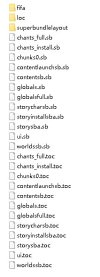
For some reasons, you cannot modify the musedata files directly through Frosty in FIFA 17. It will always stuck at the training ground/pre-match drills. This was not an issue on 19 or 20. You have to export the whole big file. Then import the edited dat file inside the big file via VivTool or similar big file packager software, then manually import the whole big file back in Frosty, not pretty straightforward.
 
For some reasons, you cannot modify the musedata files directly through Frosty in FIFA 17. It will always stuck at the training ground/pre-match drills. This was not an issue on 19 or 20. You have to export the whole big file. Then import the edited dat file inside the big file via VivTool or similar big file packager software, then manually import the whole big file back in Frosty, not pretty straightforward.
Using vivtool to process the BIG file, it worked! :D
Another question: In FE, how can I find out which file a specific file originates from?

17fe.jpg

177.jpg
 
Last edited:
In FE, how can I find out which file a specific file originates from?

View attachment 411833

View attachment 411834
No idea about this, mate.

Anyways, I've modified the camera zoom as you requested. Find the attached package below, which includes both 1.10 (zoomed in by 10%) and 1.15 (zoomed in by 15%). I'm also attaching my custom broadcast camera tracking mod which I mentioned earlier. Test it out if you want!
 

Attachments

No idea about this, mate.

Anyways, I've modified the camera zoom as you requested. Find the attached package below, which includes both 1.10 (zoomed in by 10%) and 1.15 (zoomed in by 15%). I'm also attaching my custom broadcast camera tracking mod which I mentioned earlier. Test it out if you want!

I've successfully learned to use VivTool for editing, and it worked. :D

Can FE truly import the modified files into the relevant files? I prefer playing the PS4 v1.00 version over the PC version, and the PS4 version cant use mods with this external loader method.

I prefer a close camera angle because I think that combining a limited camera field of view with checking the radar can, to some extent, simulate the feeling of real-life players having to look up and assess the pitch from time to time. This makes the experience more immersive and engaging.

FIFA 08 NG ver. to 10 NG ver. and 16 have an even greater need for fixing the smoothness of camera tracking. Hope you can do it!
 
Last edited:
Can FE truly import the modified files into the relevant files? I prefer playing the PS4 v1.00 version over the PC version, and the PS4 version cant use mods with this external loader method.
If I remember correctly, the formats are different. I don't know if it's possible or not.
FIFA 08 NG ver. to 10 NG ver. and 16 have an even greater need for fixing the smoothness of camera tracking. Hope you can do it!
I would've done this for FIFA 16 already if I could. But this is not the case, unfortunately.
 
I only played three matches today, and I noticed that defenders are much more aggressive in their tackling, while the forward runs of attacking players seem a bit too frequent. Did you use “MUST_RUN_FWD_INTENSITY” string?

And one of FIFA 17’s lingering issues that needs fixing — unstoppable shielding!
 
Hi guys,
I've manually ported a few valuable runtimes/attributes from FIFA 16 to FIFA 17 for retaining the unique FIFA 17 experience but with a touch of FIFA 16. This time, these are things that I manually ported:
movement (actor) -> turn time and reaction times for contextual dribbling
cpuai_marker -> marking difficulty + best/worst defender timing and reaction (could be useful to partially solve slow jockey/reaction bug in 17)
tackling (defense)
defensive_baseline (positioning_formation)
soccerfield (physics - important for noticeable ball bump and bounce while passing)

Based on FIFA 16 Release Version (v1.00)!

Please test this without using any other GP mods or conversions and let me know how it feels!
Use Frosty Mod Manager v1.0.6.3 or Donnie's new fork.
Note: It doesn't include the ball size increase mod by default! You can find them here (fully compatible): Click Me [I would definitely suggest you to use 10.5% increment - identical to FIFA 16 ball size]
FInally tried your new mod (this time with vanilla locale.ini as suggested)... although unfortunately just a single friendly (Real Madrid, me, vs Atletico Madrid). But still wanted to report my first impressions! Tried to force the usual lame plays I do when I want to test how much defending is tough, and I was pleasantly surprised, positioning and especially marking feel SO much tighter and improved compared with relaxed vanilla! Hope I'll be able to start a proper, new test career tomorrow or in the weekend 👍
 
I only played three matches today, and I noticed that defenders are much more aggressive in their tackling, while the forward runs of attacking players seem a bit too frequent. Did you use “MUST_RUN_FWD_INTENSITY” string?

And one of FIFA 17’s lingering issues that needs fixing — unstoppable shielding!
I didn't modify anything other than gameplayattribdb. So, I didn't use or add any string.
 
I have to try this mod; I'm currently using FIFA 16 converted to 17, dribbling and more aggressive tackling mod. I stopped using debug lines because I didn't see any impact on gameplay. Guys, I have a question. Playing in the English League One with a reduced run frequency, I feel like I'm sending through passes too often/easily into 1v1s or to wingers. The CPU leaves gaps/too much space between defenders, and my players appear in open space too often. I use the width, length, and height sliders with OS sliders. I have the CPU run frequency set high at 75 so they're more likely to get into attacking positions and create chances. Any tips on how to balance this with sliders?
 
I try New Lite Conversion and its quite good. So far, I've used a few conversions from FIFA 16, like dribbling, defending, etc., so I don't notice much difference, but at least I have it all in one mod now :D. I'm posting a video about the easy positioning and overly precise through passes I mentioned in the post above. Is there any way to decrase them or tighten up the CPU defense? CPU marking i set on 80, user run frequency on 40.I wonder what the effect would be if someone created a test mod with quite extreme values of marking and fast reaction time of receiving the ball by the CPU...I mean an experimental mod that would make FIFA 17 as difficult as possible, within reason of course:)

 
Last edited:
I try New Lite Conversion and its quite good. So far, I've used a few conversions from FIFA 16, like dribbling, defending, etc., so I don't notice much difference, but at least I have it all in one mod now :D. I'm posting a video about the easy positioning and overly precise through passes I mentioned in the post above. Is there any way to decrase them or tighten up the CPU defense? CPU marking i set on 80, user run frequency on 40.I wonder what the effect would be if someone created a test mod with quite extreme values of marking and fast reaction time of receiving the ball by the CPU...I mean an experimental mod that would make FIFA 17 as difficult as possible, within reason of course:)


Having watched the videos, I noticed that the reaction of CPU defenders were somewhat poor. I think setting the CPU Marking to the extremes like 80 doesn't achieve what you're looking for. Did you play on Slow Speed and Sprint/Accel custom sliders combo? I'd suggest you to play without touching any sliders first, on Normal Game Speed and using the Lite conversion only (with the ball size mod, of course), as this improves marking reaction times, among other things. Also, make sure that you are using the default locale.ini file.

Yes, you can go the quite extreme values of marking, but the default values from FIFA 16 (v1.00) are already quite high. In FIFA 17, they reduced this a bit in the difficulty tables, lower-mid range in the reaction times, etc. I reverted them back to the values present in FIFA 16 in the Lite conversion (as I mentioned there).
 
@DevPlays could you send the FBproject of the first post? I'd be interested in creating some version with less stamina drain for longer matches.
 
The dribbling in FIFA 17 is the heaviest since FIFA 10. Perhaps referencing the relevant parameters from FIFA 15 or FIFA 18–22 could help improve this.
 
Back
Top Bottom