FIFA 17 won't start. Please help.

naczelnik5

League 1
Joined
1 April 2009
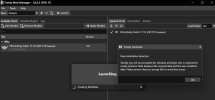
FIFA 17 steampunks stopped launching overnight. It had previously worked without a problem. When I launch FIFA STP, it generates licenses for me. When I click play, nothing happens. When I click fifa17.exe, there's no response either. Now for a bit of chronology: For the past two months, I've been playing the Steampunks version of FIFA 17 without any problems. Recently, mods for the game started appearing, and I wanted to try them out. Unfortunately, I couldn't load the game with the mods because of Frosty Mod Manager. The game worked normally after launching with fifa17.exe. I started tinkering with fixes and tips from Google for Frosty Mod Manager, but ultimately, I couldn't launch the game with the mods.Resigned, I decided to try playing FIFA 22. I installed it, installed Mod Manager, and installed mods, and the game with mods works without a problem. The next day, I wanted to compare the games and run FIFA 17, but I couldn't launch it. I reinstalled the game, and the problem persisted. I downloaded the Fitgirl Repack version, but it still won't launch. I used numerous guides, installed and ran it without antivirus and Windows Defender enabled. I ran it as an administrator, added folder access, etc.,I also installed on different partitions and different hard drives.I tried deleting all hidden temporary files related to fifa 17 and mod manager but nothing helped.I try download and use different version of crack etc. After trying to launch it in Task Manager, the fifa17.exe process appears briefly, but it runs in the background and disappears after 2 seconds. I don't know how to find out why this process disappears and why it runs in the background instead of as the main program.And what's the reason the game stopped launching so suddenly? Please help.
 
I did that, and I also did a clean install of FIFA 17 several times. The main problem is that FIFA won't launch at all, not just via mod manager. First, I need to repair the game so it starts normally from the exe file, and only then will I figure out how to run it with mods.
 
Interesting that we have several discussions on this forum talking about cracked editions of games...

It is very likely a configuration issue. FIFA17 stored a lot of stuff in "My Documents".
 
To Paul’s point, using an uninstaller (versus simply deleting the folder) should remove all traces of the program, including windows support folders and the registry. Then reinstalling should work.
 
I used the uninstaller before each reinstallation. I also used CCleaner to clean up unnecessary files and the registry. It didn't help :(
 
I used the uninstaller before each reinstallation. I also used CCleaner to clean up unnecessary files and the registry. It didn't help :(
go to My Documents -> FIFA 17 . and delete everything apart from "settings"
 
Guys, this is weird. Out of pure curiosity and a bit of desperation, I decided to buy an EA account with FIFA 17. Same situation, the game won't launch....
 
1768443194592.png

In my case, the VANILLA game launches (from the EA App), but when I try to play with the FIPv3 MOD, I'm getting this message (which didn't appear before, and I'm opening Frosty's Mod Manager with administrator, and deleting the ModData folder).. It's actually quite odd.
 
After numerous unsuccessful attempts, I decided to reset Windows to its factory settings. Now FIFA 17 launches without any problems. Thanks to everyone for your help :)Today I will try to run the game with mods via FMM
 
After numerous unsuccessful attempts, I decided to reset Windows to its factory settings. Now FIFA 17 launches without any problems. Thanks to everyone for your help :)Today I will try to run the game with mods via FMM
Usually windows is to blame. @itsnotthatserious will probably have a FC26 to 17 mod converter by the end of the day, so you can mess around with that too
 
Back
Top Bottom