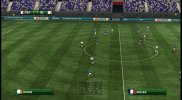
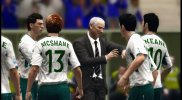
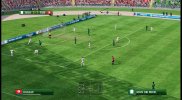
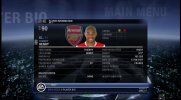
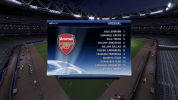
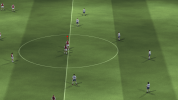
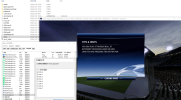
FiFA [2006-2011] Next gen ports via RPCS3 and Xenia

Update: Looks like something went wrong with the extraction process last time. I deleted all the files, copied them back from my x360 and then reextracted the data_00.big files and now the cloth physics is working.

 
Last edited:
Update: Looks like something went wrong with the extraction process last time. I deleted all the files, copied them back from my x360 and then reextracted the data_00.big files and now the cloth physics is working.


This looks nice. I tried playing RTWC06 on Xenia last night from the iso and it had weird lighting/rendering issues and quickly crashed. Is extracting the iso the solution?
 
This looks nice. I tried playing RTWC06 on Xenia last night from the iso and it had weird lighting/rendering issues and quickly crashed. Is extracting the iso the solution?
Yes, you have to extract the iso, then extract all the files from the data_00.big file to root dir of FIFA 06 [do not overwrite the existing files, extract the rest]. Then delete data_00.big and bh. Once you're done with that, open common.ini and set AUDIO=1 to 0 to disable audio. Xenia seems to have issue emulating the audio in this game and wc 06.

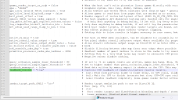
As for the lighting problem, open the xenia's config.toml file via notepad and set "readback_resolve=true". This will fix the lighting. However, if you increase your rendering resolution, it will break the lighting again.


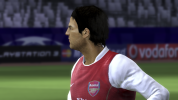
At 13:50 timestamp of the linked video of previous post, the cutscene animation is top notch!
 
Yeah that’s impressive.

I know next to nothing about emulators and software development in general, but it would seem that creating an emulator that works perfectly with ALL X360 games is a monumental task but creating one that works with ONE game (ie RTWC) is a much easier task to accomplish.
 
I also know that NHL Legacy works very well on Xenia releases in late 2022 - early 2023 but will not start on subsequent versions (including the current), so it’s possible there are specific older builds which do work well with the old FIFA titles.
 
xenia works more efficiently than ps3 emulator in world cup 2010 under 1080p without any problem in match audio and players name on back jersey though you only have a moderate computer hardware configuration. Whereas, when you run world cup 2014 under 1080p, the rendering fails to perform normally.
 
xenia works more efficiently than ps3 emulator in world cup 2010 under 1080p without any problem in match audio and players name on back jersey though you only have a moderate computer hardware configuration. Whereas, when you run world cup 2014 under 1080p, the rendering fails to perform normally.
I can't get Xenia (using Canary here) to run 2010 World Cup here. It goes into a match but player animations are broken, shortly into the match players start to freeze and eventually the game crashes.
Which version are you using? Willing to try (especially if it actually turns out that it performs better than RPCS3).
 
Similarly, I’m having very little luck with Xenia. Idea for @Sami 1999 - since it takes a bit of fiddling (iso extraction and file modification), could you repackage your working directory as an ISO and share this? Then we all could (hopefully) recreate your Xenia experiences.
 
I can't get Xenia (using Canary here) to run 2010 World Cup here. It goes into a match but player animations are broken, shortly into the match players start to freeze and eventually the game crashes.
Which version are you using? Willing to try (especially if it actually turns out that it performs better than RPCS3).
the build id is canary_experimental@53c017876 on Dec 30 2025

i upload my xenia setting

bandicam 2026-01-07 22-22-59-180.jpg
bandicam 2026-01-07 22-20-18-528.jpg
bandicam 2026-01-07 22-32-25-994.jpg
 
Similarly, I’m having very little luck with Xenia. Idea for @Sami 1999 - since it takes a bit of fiddling (iso extraction and file modification), could you repackage your working directory as an ISO and share this? Then we all could (hopefully) recreate your Xenia experiences.

If I'm allowed by the moderators, I will upload it here for sure. That way people can just download it and boot the game directly without any fiddling.

I will also upload in extracted format instead of the iso format. That way if Xenia does stop crashing with audio enabled, you can simply change the audio setting in common.ini yourself.

@cogermujeres could you attach your xenia config.toml file here for the 2010 world cup?
 
If I'm allowed by the moderators, I will upload it here for sure. That way people can just download it and boot the game directly without any fiddling.

I will also upload in extracted format instead of the iso format. That way if Xenia does stop crashing with audio enabled, you can simply change the audio setting in common.ini yourself.

@cogermujeres could you attach your xenia config.toml file here for the 2010 world cup?
 

Attachments

@Sami 1999 would you try ucl 0607 with extracted files?I have extracted all those .big format files but found nowhere to diasable the audio function in any .ini format file

Though there is normal audio and music track effect in the menu stage, the match crashes before entering the pitch

bandicam 2026-01-01 16-42-08-870.jpg
 
the build id is canary_experimental@53c017876 on Dec 30 2025

i upload my xenia setting
Thanks man, much appreciated.

I downloaded the settings, but I can't seem to get the Xenia Canary version you said. Apparently either it's not on GitHyub or I'm visually impaired. 🤣

I'll try to boot it with the latest Canary I find, with your settings, and see what happens!
 
@Sami 1999 would you try ucl 0607 with extracted files?I have extracted all those .big format files but found nowhere to diasable the audio function in any .ini format file

Though there is normal audio and music track effect in the menu stage, the match crashes before entering the pitch

View attachment 396663
No luck with UCL and FIFA 07 so far. Though some builds of Xenia seems to be able to play fifa 07 but only in emirates stadium with match time set to Day.
 
I was able to load the game without crashing but I’m still having the lighting issue. It seems the config file is looking for full, fast or off in readbackresolve, not true or false. Can you share your version number and config file?
You can't use resolution scale, it has to be set to 1x. Typing "True" in readback resolve works, although you can try "fast" or other options too.

I can upload the file if I get home.
 
I was able to load the game without crashing but I’m still having the lighting issue. It seems the config file is looking for full, fast or off in readbackresolve, not true or false. Can you share your version number and config file?
It works for me exactly how Sami stated in his last Post. readbackresolve set to true instead of "full" or "none" a.e. I had first issues with the changed settings in the xenia config file, because for no reason the edits I made were always overwritten once I re launched xenia again. I was forced to made the file read only and after that the lightning issue was gone in RTWC 06. Below I have recorded a short Video of the game without that dark renderering screen.


Attachments

  • Screenshot (128).png
    Screenshot (128).png
    453.8 KB · Views: 0
Yes, you have to extract the iso, then extract all the files from the data_00.big file to root dir of FIFA 06 [do not overwrite the existing files, extract the rest]. Then delete data_00.big and bh.
I wonder if that guide related to extract the Game file would work on Playstation 4 with a JB firmware for FIFA 16 a.e. too? I recently tried again to mod FIFA 16 on my PS4 Pro. I dumped the game with itemzflow and extracted the data_startup.big to get the DB and other data files. I tried it with CG File Explorer 16, but after I replaced the DB with the DB of FIP 16 default Version I repacked the Game files with Ps4 Patch Maker and renamed before the data_startup.big so in theory my Ps4 couldn´t read the file again and read now the extracted and modded files. Oh and I imported scousers Revolution Mod 16 as well.
But no luck after launching on my PC. Everything was default in game. Maybe to extract the files from FIFA 16 with quickBMS could be another attempt?
 
Someone has to make a script first. I'm not an expert in programming, so tbh I have no idea what I'm talking about. If I were to take a guess, I think the ps4 version uses a different form of encryption, which is why reimporting causes the game to crash. Maybe if you export all of the files from every single data.big files and delete the .big files like you did with rtwc 06- it might theoretically work since that would mean the game would not have to rely on the encrypted .big files.
 
Someone has to make a script first. I'm not an expert in programming, so tbh I have no idea what I'm talking about. If I were to take a guess, I think the ps4 version uses a different form of encryption, which is why reimporting causes the game to crash. Maybe if you export all of the files from every single data.big files and delete the .big files like you did with rtwc 06- it might theoretically work since that would mean the game would not have to rely on the encrypted .big files.
You are not far away with your "guess", man! There is a plugin which can be loaded with etaHEN which reads the modified Files after editing original files. It works! Because other Games proof that, but in FIFA 16 it works maybe, but I don´t why and what else to do with the original big files when extracting from the Ps4 Files of FIFA 16.
In Games like Bloodborne the PC Mods are working by using this re read of modified files plugin. I guess it must be the key about what you have written above, though.
On Ps3 and xbox 360 it does work to modify even FIFA 19. I saw a Video with proof of concept recently. Anyways, thanks for the new input from you.
I will test that next what you have written and extract all big files and than I delete the big and bh files when reloading the game.
 
You are not far away with your "guess", man! There is a plugin which can be loaded with etaHEN which reads the modified Files after editing original files. It works! Because other Games proof that, but in FIFA 16 it works maybe, but I don´t why and what else to do with the original big files when extracting from the Ps4 Files of FIFA 16.
In Games like Bloodborne the PC Mods are working by using this re read of modified files plugin. I guess it must be the key about what you have written above, though.
On Ps3 and xbox 360 it does work to modify even FIFA 19. I saw a Video with proof of concept recently. Anyways, thanks for the new input from you.
I will test that next what you have written and extract all big files and than I delete the big and bh files when reloading the game.

Yeah the old gen versions of FIFA 15-19 can work with mods because it can read the extracted files. I modified few files on fifa 16 x360 port in the past.
 
ahmed, i follow your advice of setting the core affinity and the loading screen keeps loading for normal status but never enter the match

my cpu is i7 4790
the latest xenia edge on Jan 23 2026
 

Attachments

  • ScreenShot_2026-01-24_005324_794.png
    ScreenShot_2026-01-24_005324_794.png
    880.3 KB · Views: 0
Back
Top Bottom