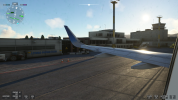
Microsoft Flight Simulator [PC/Xbox]

Yeasterday evening story. I wanted to do with as much as possible realism with the beauty AN225 and do the takeoff and so on.

Had needed ~ 2 hours to load the plane and work through the checklist. But have give up and was going to bed.
There are so many errors/mistakes in the checklist. Unbelievable!
 
I'm an idiot. I naively thought the bugs from MSFS 2020 would be fixed in MSFS 2024. So I bought MSFS 2024. But what about fixed? Man, I only bought both sims because of the AN 225! And because the 2020 version was on sale and I'd had both on my wishlist for a long time.

Now it looks like I threw my money out the window.

I was working my way through the checklist for the AN 225, and when I was at the transport load and switched the camera to the external one to see how everything animated, I wanted to go back to the cockpit view.

However, I had the same bug as in MSFS 2020, where the camera was above the aircraft.

I know from the 2020 version that you could move up, down, left, and right using the cursor keys on the keyboard. That solved the problem.

But with MSFS 2024, the cursor keys on the keyboard don't work, or rather, they work the same as the PC mouse.

I've already googled, searched YouTube for tutorials, looked in the settings, and looked in the official forums.

But I couldn't find anything that helped me. Now I hope one of you has the Aviator Edition of MSFS 2024 and can help me with my Antonov AN 225 problem!

So how do I get back to the cockpit view after I'm in the loading ramp opening animation?

I've played the sim for over 7 hours, but I haven't been even a centimeter above the ground in a real plane for even a second.

All I did before was start the career to learn the basics of the 2024, so to speak.

So, just a few tutorials.

I really hope someone from the Evoweb forum can help me! :PRAY:
 
Randomly I watched a video on YT in which it was explained how I can fix my problem with a workaround. With the shift button + QEWASD buttons on the keyboard I can move the camera like in MSFS 2020. An other option would be to change the controlls to the ones from MSFS 2020 in the settings.


Not try it yet, have no time on the weekend. But I hope I can finally fly my birdie.
 
Since I got the new GPU I wanted to fly again. So I dug out 2020 for now (again) and it’s running super fine.

Will need to setup the stick again but I’m planning to have short trip flights this week.
 
On PC FS2020 is better graphically than FS 2024.
Since the files are locally stored and not streamed.

So I just bought FS 2020 outright when it went cheap, I never bothered with FS 2024 after playing it on GamePass.


I also still prefer 2020, although after the latest sim update for 2024 (I think a month ago or so) it's running pretty smooth on my XSX. I usually do 2020 in PC, and keep 2024 on Xbox for short flights as storage footprint is pretty small anyway. I jump between all 3 including XP12

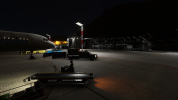
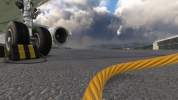
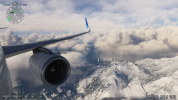
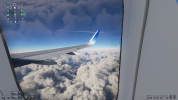
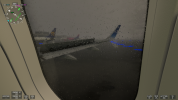
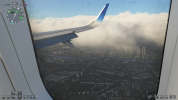
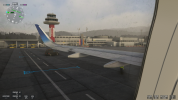
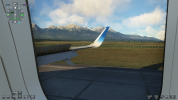
Very nice screenshots btw.
 
On PC FS2020 is better graphically than FS 2024.
Since the files are locally stored and not streamed.

So I just bought FS 2020 outright when it went cheap, I never bothered with FS 2024 after playing it on GamePass.
Got myself Neofly4 and enjoy the more purposeful flights atm.

Multi view is running fine now on my triples at locked 40. I can fully enjoy my missions. 😊👌
 
Back
Top Bottom