PES games on retro handhelds

buczer

Non-League
Joined
3 March 2024
Hi, I created this thread so we can share our experiences running PES on handheld consoles. I couldn't find anything like this on the forum, so… here we go. As we all know, this market has grown a lot in recent years, and many of us now have Steam Decks or other PC/Linux or Android handhelds.

To kick things off properly, I'd like to show you what I managed to do on a low-end Android console called the Mangmi Air X. I got it as an early-bird unit for 80 dollars (it's probably 10–15 dollars more now). Here are the specs:

Mangmi Air X
Android 14
CPU: Snapdragon 662
GPU: Adreno 610
RAM: 4 GB

With the current state of Android emulators, this little console can easily run PSX, Dreamcast, Nintendo 64, and PSP games. Some GameCube titles work too, though most PS2 games don't run well. It's a budget device after all; if you really want smooth PS2, you pretty much need to spend an extra 100 dollars on something like the Retroid Pocket 5.

But… PC emulation is still an option thanks to apps like Winlator, GameHub, and GameHub Lite. They aren’t exactly plug-and-play, but they’re surprisingly optimized. And if your Snapdragon device can load Turnip drivers, it might pull off things you wouldn’t normally expect.

Below you can see a video I recorded of PES 2013 (PC) running on this thing. It’s smooth as butter. Honestly, it blows my mind that you can carry PES 2013 in your pocket on an 80-dollar device. Maybe that just means I’m getting old.


Also, here you can find my recommended GameHub Lite settings for PES 2013 on the Mangmi Air X
https://www.emuready.com/listings/98b453e3-daef-411e-9d33-3d3009e12f98


Feel free to share your experiences with other handhelds!
 
Last edited:
Been considering doing something like this for PES6. Or even just starting with Goalstorm and putting as many PES's on one as it can handle. I'm surprised how well it's handling '13 in your video!
 
Realised most of my gaming these days is retro games, mainly Gamecube with a bit of arcade thrown in. After much mulling about getting a handheld device (almost got both a Switch Lite and SteamDeck at various points over the past year) I finally put a pre-order in for a Retroid Pocket 6.

One of the issues I've had is justifying the cost, haven't really wanted to splash out massive sums on something I've never really had before (with the exception of Gameboy Advance SP and DS Lite). I've gone for the 16-bit colourway with 12Gb of RAM, SD8Gen2 and stick on top (same as the top model below). All in it's cost around 220 quid, but doesn't ship til the New Year.

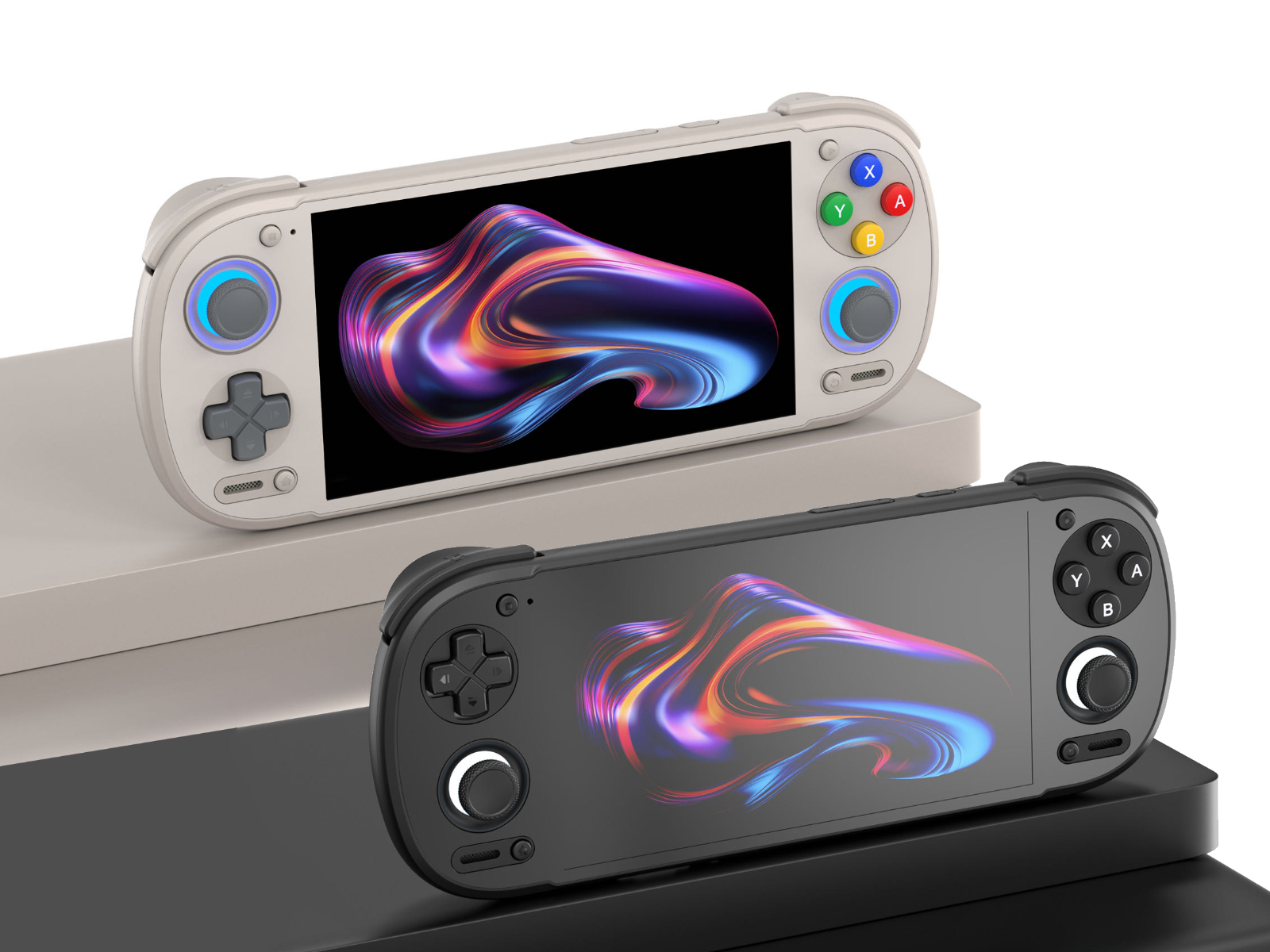
Retroid-Pocket-6-redesigns-kv.jpg
Posted the above in another thread, currently got a Xiaomi pad 5 to play PES6 PS2 version. Runs pretty flawlessly considering the slightly older hardware
 
I made short instruction how to prepare/install/run PES 2013 on Android devices via GameHub Lite, maybe it helps someone some day.

Installation instructions for PES 2013 (PC) with PESedit v.3.8 on GameHub Lite 5.1.3 (Android)


I assume that you already have PES 2013 and the PESedit 3.8 patch installed on your computer.


1. First, you need to copy the entire main folder of the game to your Android device or SD card (the one that contains files like pes2013.exe, settings.exe, and the img folder).

Let’s assume the game is installed on your PC at:
C:\Program Files\PES2013
Copy the whole folder to the SD card, for example to:
\windows_games\PES2013

Additionally, you must copy the folder that stores the so-called Option File, saves, etc. This folder is located at:
C:\Users\<your user name>\Documents\KONAMI
Copy the entire folder to your SD card as well, for example to:
/windows_games/KONAMI


2. On your Android device, in GameHub Lite, create a new container for the game using “Import PC games”.
In the top bar, select your SD card and locate the .exe file — in this example it would be at:
/windows_games/PES2013/pes2013.exe

After this process, a PES 2013 game icon will appear in GameHub Lite, but the game will not run yet.


3. In the next step, we will add a registry entry to the emulated Windows environment in order to “trick” it into thinking that the game has been properly installed.

First, we need to prepare a registry file for PES 2013 on the PC. This website will be helpful:
https://www.regfiles.net/registry/pro-evolution-soccer-2013-registry

It will generate the registry file for us. We need to provide the game’s CD-key and the installation path of the game inside the GameHub Lite container.

Important:
You must first check, inside the container desktop of the game (enter it in GameHub Lite via “Enter Container Desktop”) using the file browser, which drive letter your virtual disk has.
In my case, the SD card is always drive F:\, so the PES 2013 path would be:
F:\windows_games\PES2013\pes2013.exe

You can also specify the game version — I’m not sure if it really matters, but the last official version is 1.04.

After entering the data on the website, download the generated .reg file and copy it to your SD card, for example as:
/windows_games/pes13.reg

Next, on your Android device, enter the container desktop of the game in GameHub.
On the bottom bar of the desktop, click “Apps”, then “Registry Editor”, and use “Import Registry File…” to select your .reg file from the SD card

.
At this point, the game should start launching* but… squads will not be correct.

* assuming your device is powerful enough and GameHub Lite is configured correctly - here you can find community reports on what settings works on different devices, you can share there your own as well : https://www.emuready.com/listings?search=Pro+Evolution+Soccer+2013 )

To fully use patches with correct squads, you also need to copy the Option Files (KONAMI folder) to the proper Documents folder inside the container— and unfortunately, this is not that easy.

As far as I know, it is not possible to simply copy files in the container desktop file explorer like in Windows (at least it doesn’t work for me). If someone knows how to do this, please share.
Additionally, internal container folders are not easily accessible from the device using standard apps or even when connecting it to a PC. The next steps explain how to do this.


4. Download the “Files” app by “Marc apps & software” from the Google Play Store:
https://play.google.com/store/apps/details?id=com.marc.files


5. In GameHub Lite, check the local ID of your game — we will need it to find the Documents folder for the PES 2013 container.
Hover over the game icon, enter “View Details”, and at the top you will see a long string like:
local_95e56a776...
(The ID will be different for you.)
Remember it — not the entire string, just the first few characters (in my case: 95e56).


6. Open the previously downloaded Files app.
Find your KONAMI folder containing the PES 2013 Option File on SD card (in this example: /windows_games/KONAMI).
Select it, tap the three-dots icon (top right), choose “Copy to…”, then in the top-left dropdown menu scroll down and select GameHub Lite icon.

You will now see more folders. Navigate to:
data/files/usr/home/virtual_containers/<your local game ID from step 5.>/drive_c/users/steamuser/Documents

Paste the entire KONAMI folder there.

After this process, the patch should work fully — kits and squads should be correct.


7. (Optional)
I’m not sure if this is strictly necessary, but it may be better to install the mono component in the container settings in GameHub Lite.
Go to “PC Game Settings” → “Component” → “Install Component” and select “mono” from the list.

I mention this because, as far as I know, the patch uses .NET, and mono is the component that emulates it.
This is probably required if you want to run PESEDIT.exe to customize the patch — for example, changing leagues (e.g. Bundesliga to the Argentine league, or 2. Bundesliga to the Spanish or English second division).

I did not test the customization options, so I can’t help much here. It’s possible that besides using PESEDIT.exe, you also need to replace the Option File — you would need to read the patch instructions.
I personally play with the default patch and didn’t experiment further.

BTW:
I also managed to run RealPatch26 for PES 2013 (season 25/26) in GameHub Lite. You can create a separate container for it and use a similar method as above.

On my low-end device (Mangmi Air X, Snapdragon 662), it runs slower than PESedit, so I gave up on it. It probably uses higher-quality textures.


Other options:

The installation process of PES2013 and PESedit v.3.8 is doable directly on Android devices inside the GameHub container. I passed through this process a few times both on internal and SD card and the time is not so dramatic - 30-45 min ?

Just install the vanilla game inside the container desktop, and then PESedit patch via exe installator on your device. Installation process on internal storage is always much faster than on SD card, but it is harder to pinpoint exe for shortcuts in Gamehub Lite (it's doable but you need to do something like this : https://discord.com/channels/1439701320490553357/1441751269575364628).

Basically I recommend installing games on SD card, the installation process is slower but you can easily choose exe for shortcuts.

But… PESEdit 3.8 is a relatively small patch (1-2 GB ?) developed in the time when the game was released (~2012-2013). Newer/recent patches usually are much bigger because of better textures etc. so installation of such patches directly on android could be really tough.

 
Managed to get PES 2017 up and running on my Retroid Pocket 6. Very playable at just over 50fps, crazy you can do this nowadays

View attachment 404612
May be cool, but playing in big TV or monitor and powerful PC still better and more comfortable.
I am also reading news, where Doom 3 launching on "microwave chip" (sarcasm), but still do not understand this trend.

Certainly, mobility is most cool, when you can have list of all your favourite games as a pack in "such small game platform", but on big TV and with close friends all emotions much brigher and smallest details of gameplay much more visible.

P.S. Simple my opinion, everyone for myself decides where to play and what comfortable for him.
 
@Sany023 that's fair, and at one point I would 100% have agreed with you. Now my wife dominates the TV, and I just wanted something where I could still sit on the sofa with my wife and get my gaming fix :)

The other thing I forgot to mention is the handheld I've got does display out. I've got a usb-c dongle that basically means I've got a console on the go. I've got to work away for a week soon, so can plug this in to a TV, connect a bluetooth controller and can play anywhere :)
 
Last edited:
Handhelds are great and I've owned quite a few over the years. To me, it feels like a more personal experince, especially when the headphones are in, the world is blocked out and the only focus is the game. Plus, as mentioned, it's very convenient.
I've currently got a switch lite (collecting dust), Odin 2, Steam Deck oled and my new favourite the Anbernic RG477M which is a 4:3 emulation beast, and it's the one I'm currently using to play all my PS1 & PS2 WE/PES on.
 
Handhelds are great and I've owned quite a few over the years. To me, it feels like a more personal experince, especially when the headphones are in, the world is blocked out and the only focus is the game. Plus, as mentioned, it's very convenient.
I've currently got a switch lite (collecting dust), Odin 2, Steam Deck oled and my new favourite the Anbernic RG477M which is a 4:3 emulation beast, and it's the one I'm currently using to play all my PS1 & PS2 WE/PES on.
As a "tech geek" partially, i am exactly understanding how cool can be own experiences with using "handhelds", simply note, that "it's a pleasure of little bit different kind".
 
As a "tech geek" partially, i am exactly understanding how cool can be own experiences with using "handhelds", simply note, that "it's a pleasure of little bit different kind".
Yeah its a different experience than playing on a TV or monitor.
In my opinion gaming on a TV or monitor feels more like a deliberate event, where as playing on a handheld becomes more impromptu.
It's pretty chilled!
 
1000006270.jpg

This is my Anbernic RG477M playing WE7i in classic 4:3
Surprisingly comfortable handheld and the best Dpad I've ever used besides a Vita or Sega Dpad.
 
How is the performance with WE9 and WE10 games?
Top. I play all the WE/PES games upscaled to 1344p/FHD+
You may encounter the odd stutter at first but the more you play, the more the shader cache builds up (this will be the same for any android device using PS2 emulator) and then they all run fantastic upscaled. I use Nethersx2 Classic with Vulkan Render and X3 upscale. All other settings are default and they all run buttery smooth once shader cache is built up.
The one I've got is the 12gb Ram version but I don't think having the lower 8gb ram version will make a difference to PS2 emulation since the emulator doesn't even use 8gb of the ram anyway.
Also this device gives you a 120hz refresh rate which makes navigation etc amazingly smooth. The 120hz refresh rate is completely unique to a 4:3 handheld I think.
I got the chocolate bronze version but you can get it in Silver too if you prefer.
Id definitely recommend it if you're a D-pad player and you like 4:3 since that's the main focus of this system.
 
Back
Top Bottom