

Hels The Ronin
Champions League
- 15 November 2019
- Team
- Celta de Vigo / Barcelona
I bring you news and a new tool from vivianroberto aka donniedarko666. He's been working still in FIFA 17 and he has been able to make a plugin that can duplicate assets, so now we could have virtually more players in the game, for example.
I leave you now with the post he's made in the soccergaming community.
---------------------------------------------------------------------------------------------------------------------------------------------------------
In short, I have edited the source code of the Frosty Editor 1.0.6.3 version and managed to make legacy asset duplication work.
You can duplicate any DDS images within the Legacy Explorer and that will show up in-game.
Some of these assets would be mini faces, league logos, team crests and much more.
BIG file duplication doesn't work in-game, but those rarely contain anything work duplicating.
Release:
https://github.com/sadistaaa14-sketch/Frosty-Toolsuite-FIFA-17-edition/releases/tag/release
You can download the patched Frosty Editor and Mod Manager here.
How to use:
Go to legacy explorer, right click on the asset you want to duplicate:
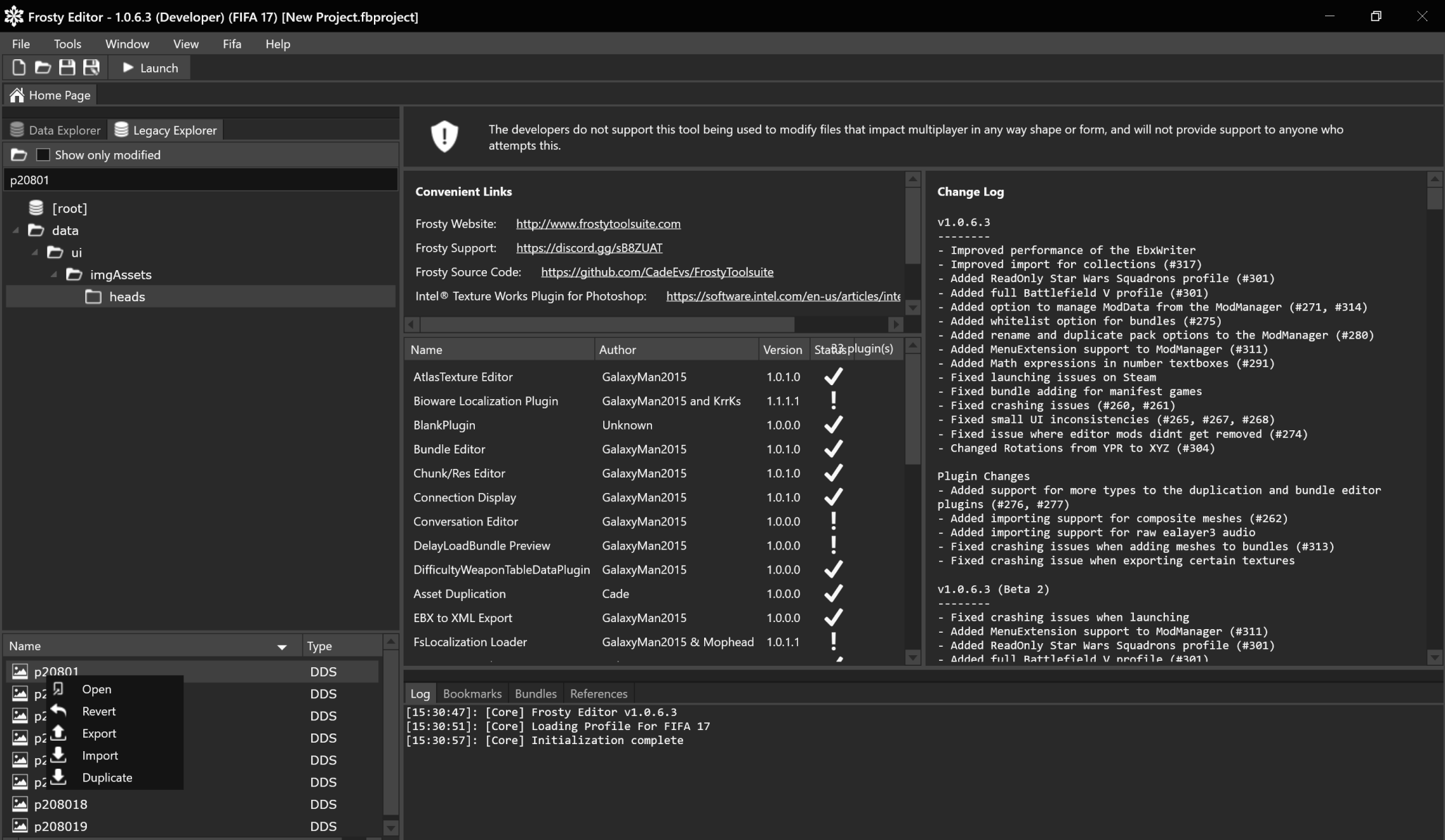
You will see the duplicate option, left click on it and a window will show up:
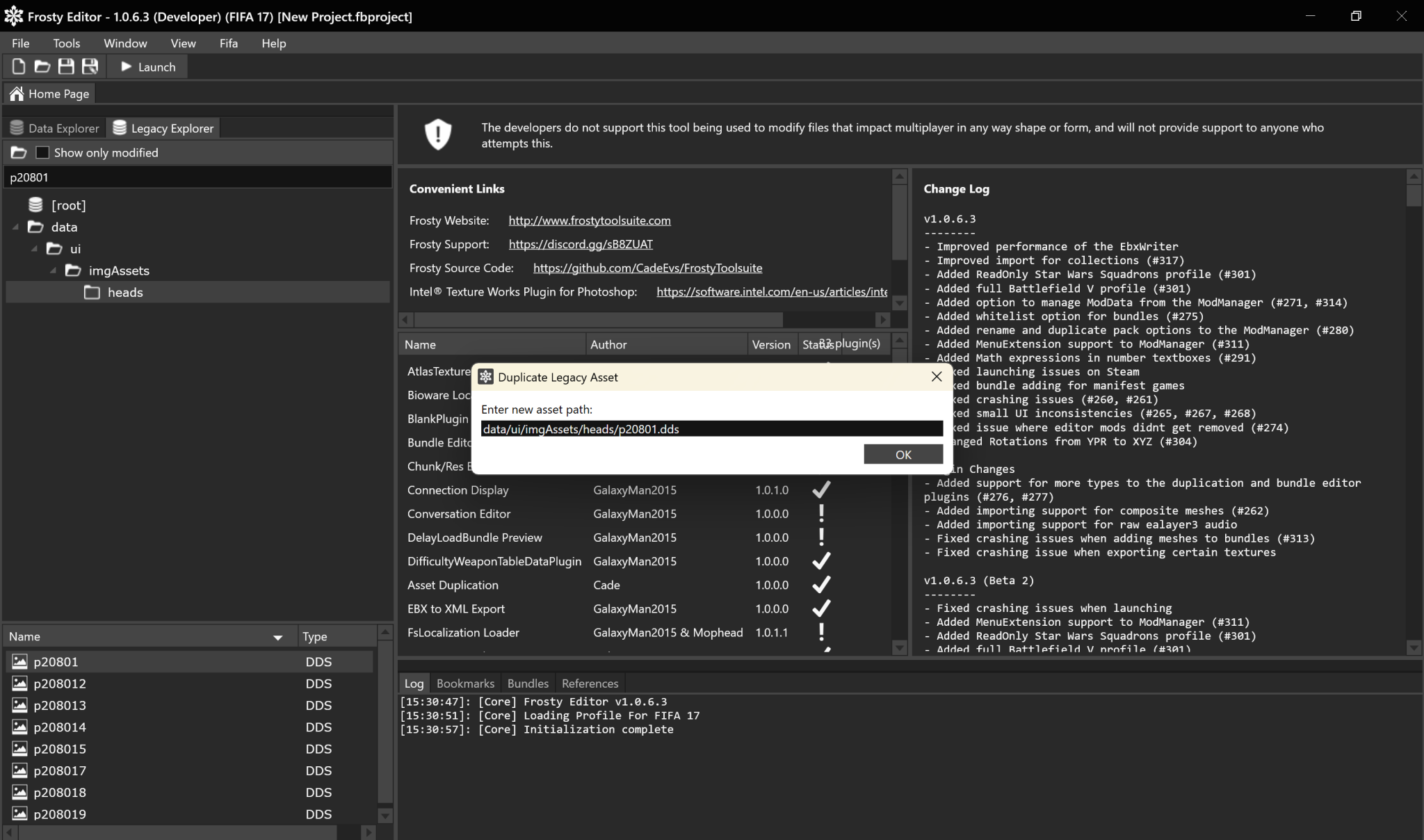
Here you can enter the path of where you want your duplicated asset to be, as a general rule, it's in the same folder so you simply have to change the number 20801 to whatever player id in order to add a new miniface.
We are going to do this for Hakimi, Hakimi's player id is 235212, found on sofifa.
So, delete 20801 and type in 235212:
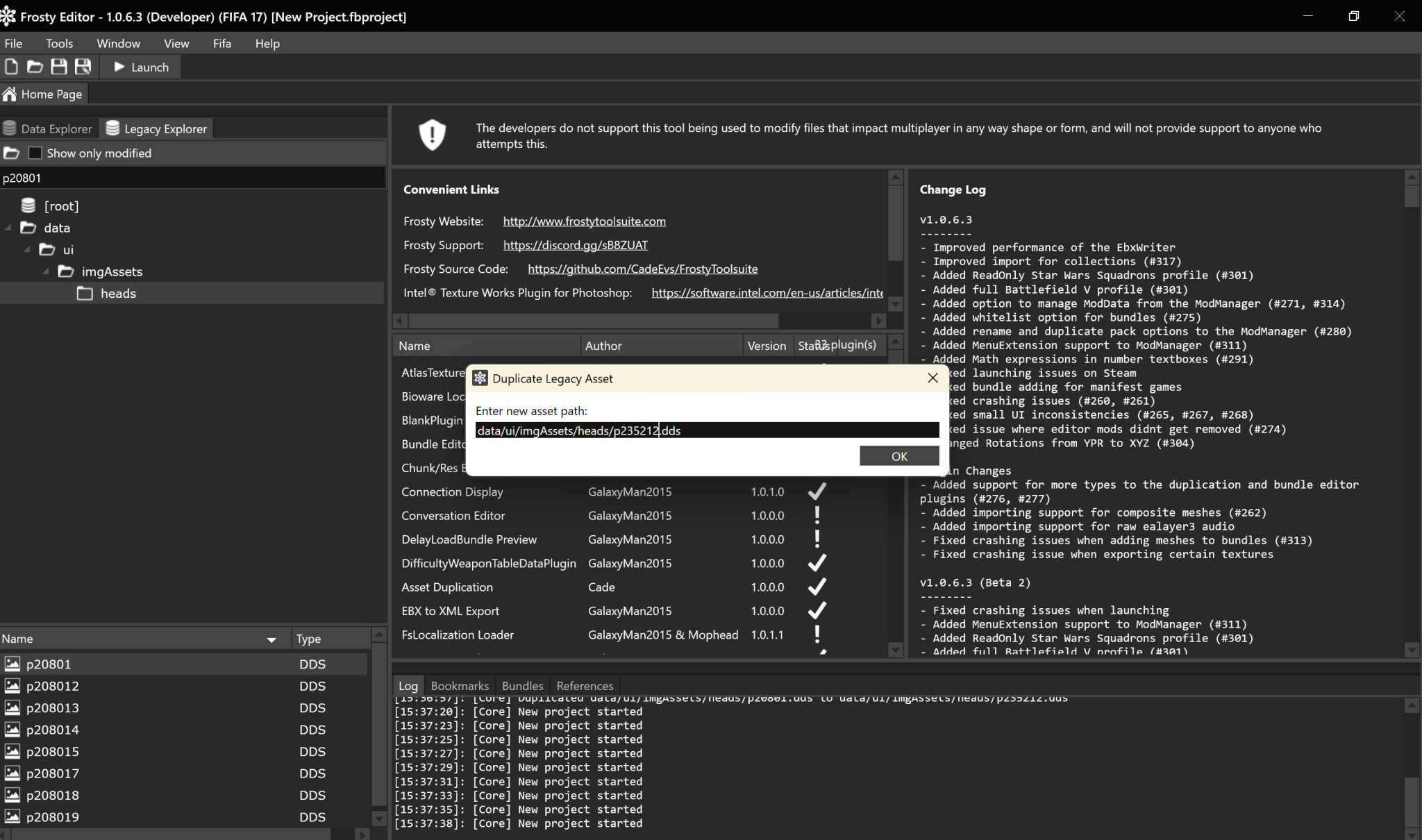
Click "ok", you will see in the log that the dds image got duplicated
"Duplicated data/ui/imgAssets/heads/p20801.dds to data/ui/imgAssets/heads/p235312.dds"
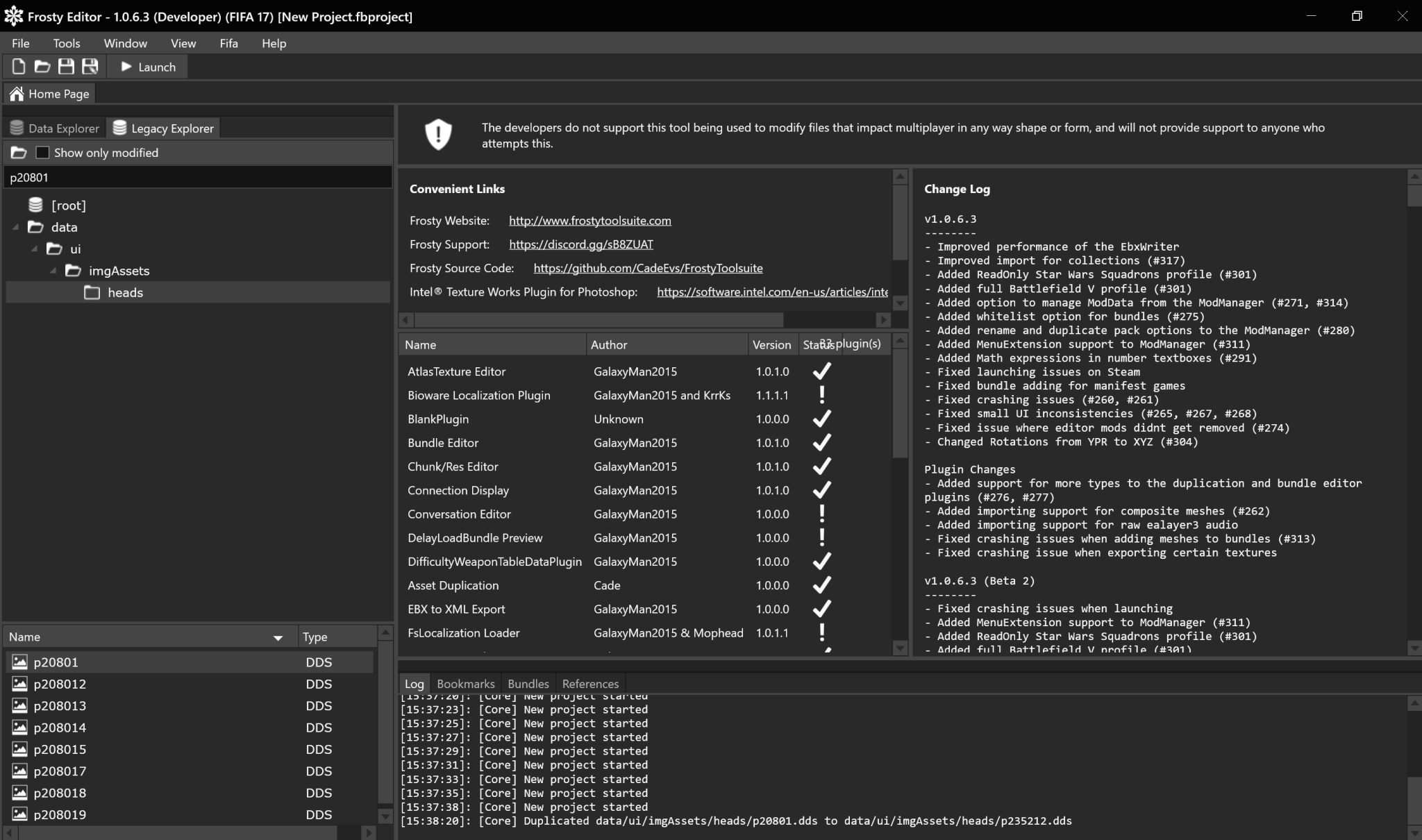
Type in the new file name in the search bar and open the duplicated DDS image:
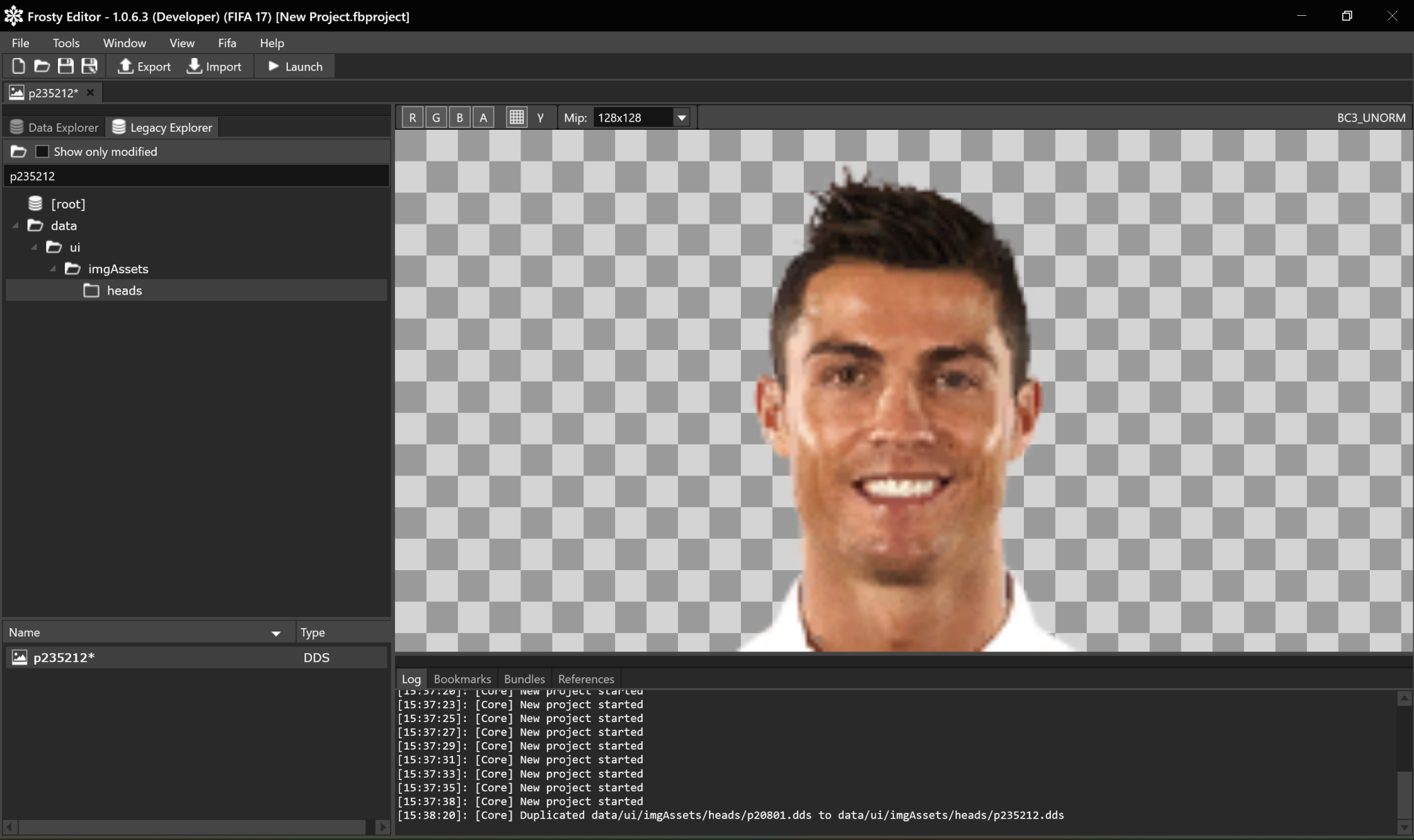
Click at the top bar to import a new miniface for Hakimi:
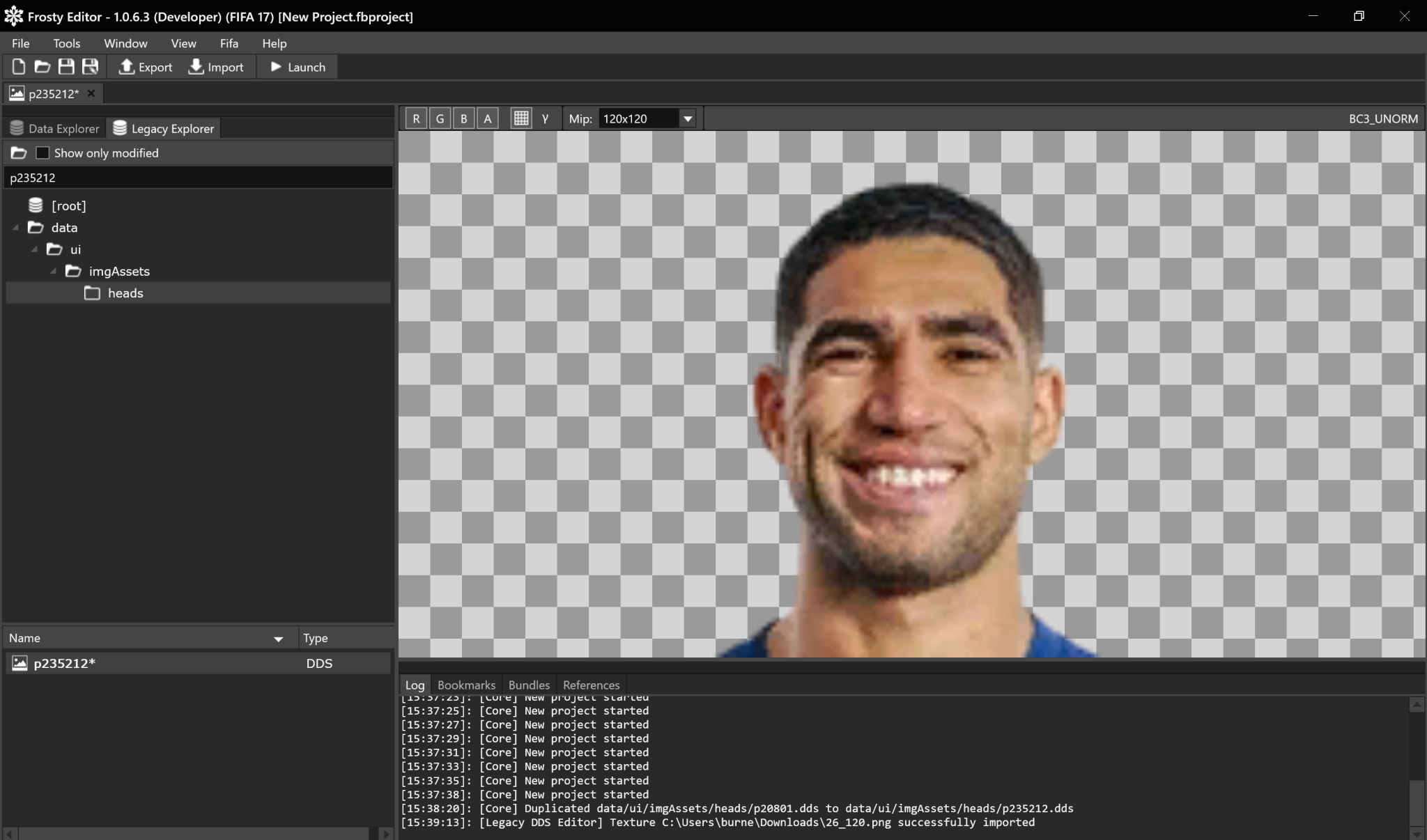
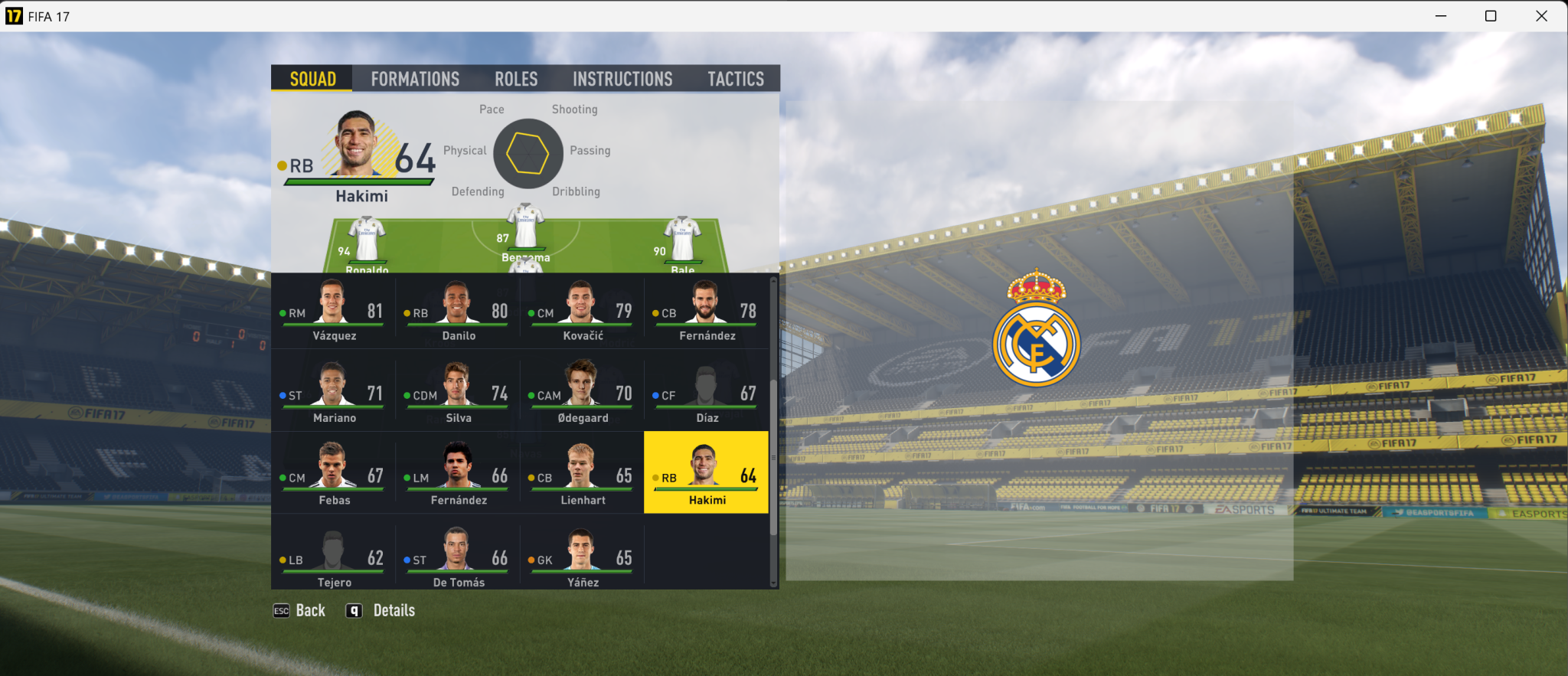
Launch the game, go to team sheets and check Real Madrid's team sheet, you will see Hakimi now has his own miniface!
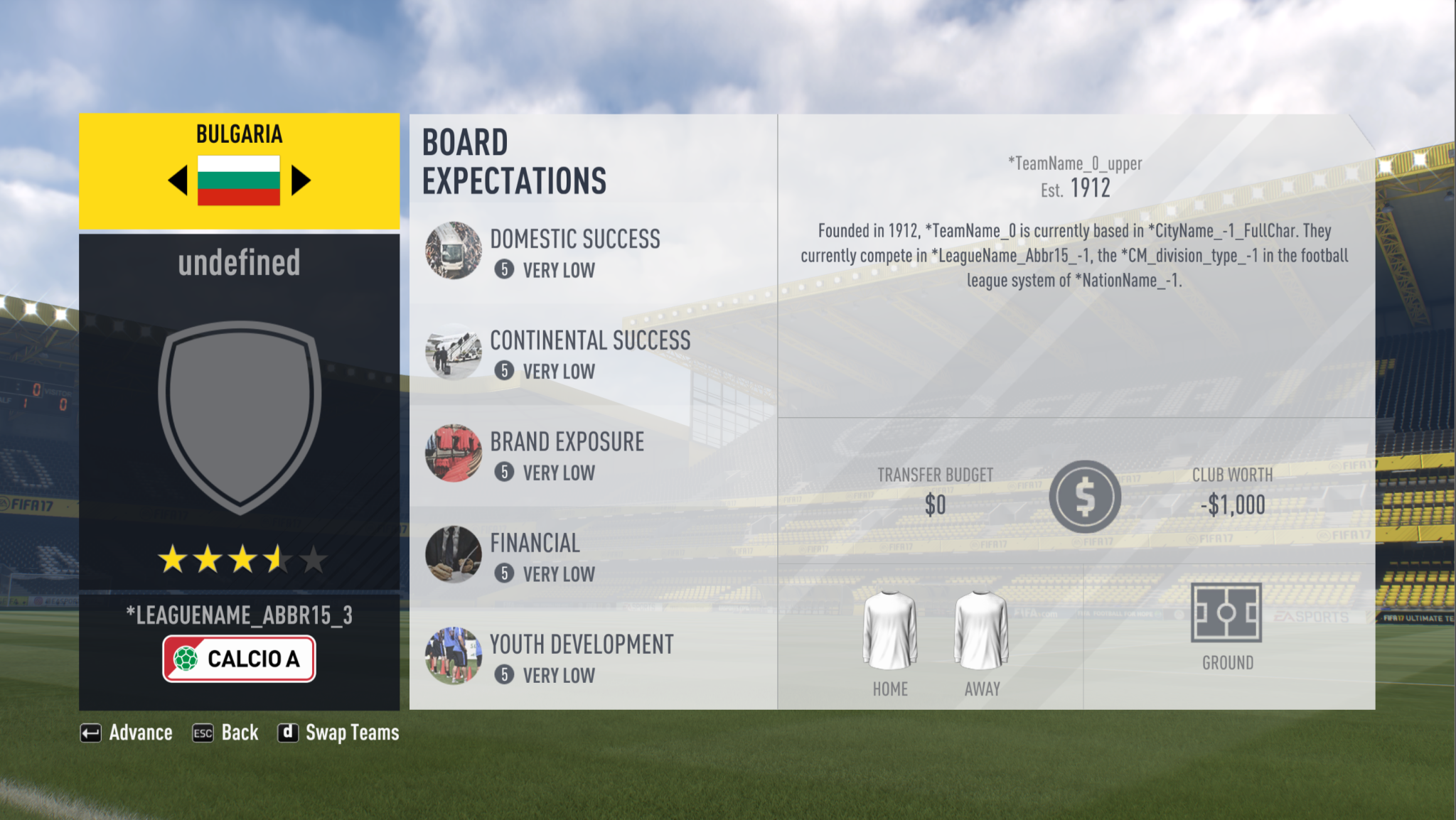
Same logic applies for league logos, for example, creating a new league row with an id of 3 in RDBM 22 and then duplicating the Series A logo(too lazy to find a logo for the Bulgarian league):
Note that in the 1.0.6.3 version, opening the "heads" folder, aka the minifaces folder will freeze frosty and it will take a long time to load. So I'd suggest looking up a player with a specific id, like p20801 and then duplicating it.
As an alternative you can also download the same files from MEGA:
https://mega.nz/file/HkhByLAD#tYrNmJrTsZnOKaB3OzR5Vl9OxugBeDgYbDfnk6-isow
----------------------------------------------------------------------------------------------------------------------------------------------------------------------------------------------
As always, post any doubts or feedback you have for donnie and I'll communicate it to him and bring you a response back.
Hands down to one of the most proficient and revolutionary modders of FIFA 17, since he's managing many advancements for that game.
I leave you now with the post he's made in the soccergaming community.
---------------------------------------------------------------------------------------------------------------------------------------------------------
In short, I have edited the source code of the Frosty Editor 1.0.6.3 version and managed to make legacy asset duplication work.
You can duplicate any DDS images within the Legacy Explorer and that will show up in-game.
Some of these assets would be mini faces, league logos, team crests and much more.
BIG file duplication doesn't work in-game, but those rarely contain anything work duplicating.
Release:
https://github.com/sadistaaa14-sketch/Frosty-Toolsuite-FIFA-17-edition/releases/tag/release
You can download the patched Frosty Editor and Mod Manager here.
How to use:
Go to legacy explorer, right click on the asset you want to duplicate:
You will see the duplicate option, left click on it and a window will show up:
Here you can enter the path of where you want your duplicated asset to be, as a general rule, it's in the same folder so you simply have to change the number 20801 to whatever player id in order to add a new miniface.
We are going to do this for Hakimi, Hakimi's player id is 235212, found on sofifa.
So, delete 20801 and type in 235212:
Click "ok", you will see in the log that the dds image got duplicated
"Duplicated data/ui/imgAssets/heads/p20801.dds to data/ui/imgAssets/heads/p235312.dds"
Type in the new file name in the search bar and open the duplicated DDS image:
Click at the top bar to import a new miniface for Hakimi:
Launch the game, go to team sheets and check Real Madrid's team sheet, you will see Hakimi now has his own miniface!
Same logic applies for league logos, for example, creating a new league row with an id of 3 in RDBM 22 and then duplicating the Series A logo(too lazy to find a logo for the Bulgarian league):
Note that in the 1.0.6.3 version, opening the "heads" folder, aka the minifaces folder will freeze frosty and it will take a long time to load. So I'd suggest looking up a player with a specific id, like p20801 and then duplicating it.
As an alternative you can also download the same files from MEGA:
https://mega.nz/file/HkhByLAD#tYrNmJrTsZnOKaB3OzR5Vl9OxugBeDgYbDfnk6-isow
----------------------------------------------------------------------------------------------------------------------------------------------------------------------------------------------
As always, post any doubts or feedback you have for donnie and I'll communicate it to him and bring you a response back.
Hands down to one of the most proficient and revolutionary modders of FIFA 17, since he's managing many advancements for that game.